Building JuiceBar: Turning PC Power Into an Electricity Bill
A watt number is interesting for a few minutes. A bill is something I actually make decisions around.
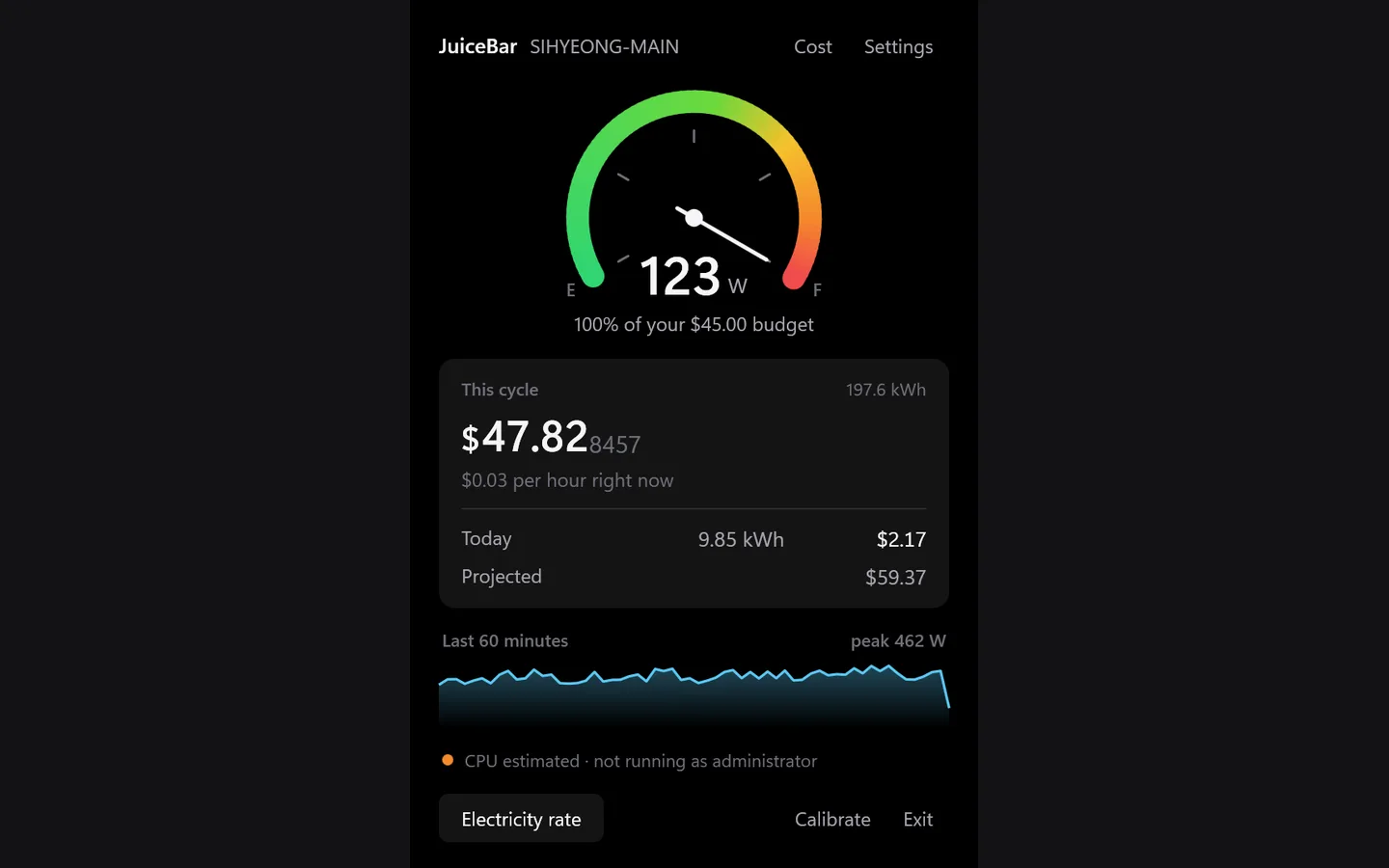
That was the reason I built JuiceBar, a Windows tray app that watches PC power use and turns it into the running cost of the current billing cycle. The tray icon behaves like a fuel gauge. Open it and the app shows the cycle cost, today's usage, a projection, and the recent trend.
The UI was the easy part. The harder question was what the number should mean.
Windows does not give you whole-PC wall power
There is no Windows API that simply returns the watts coming out of the wall socket. Hardware exposes pieces of the picture instead.
On Windows 11, JuiceBar can read CPU package energy through the Windows Energy Meter Interface. Where that path is unavailable, CPU sensing can fall back to Intel RAPL or AMD SMU through PawnIO. Discrete GPUs use NVIDIA NVML or AMD ADL. On a laptop, ACPI battery charge and discharge give another useful measurement path.
But none of those sensors tells me the draw of the motherboard, RAM, drives, fans, or power-supply losses. Pretending otherwise would make the app look simpler while making the number less honest.
So JuiceBar keeps the two things separate: what it can measure, and what it has to model.
The wall-power model is:
P_measured is the sum of the readings the machine can expose. B is the baseline draw of the parts that are not directly measurable, and η is power-supply efficiency.
Calibration is part of the product, not a hidden constant
Those last two values are machine-specific. A fixed guess would be convenient but hard to trust.
For a desktop, JuiceBar therefore accepts two external readings — for example from a plug-in wattmeter or an energy-monitoring smart plug — and uses them to calibrate the model. On laptops, battery discharge can provide a whole-system reference while the machine is unplugged.
If calibration has not happened, the app still works with conservative defaults, but it says not calibrated in the interface. I would rather expose uncertainty than turn an estimate into a fake measurement.
The other half is the tariff
Power measurement alone still does not answer the question I started with. Electricity tariffs can be flat, tiered, or time-of-use. They can have fixed monthly charges and taxes. Billing cycles do not necessarily start on the first day of the month.
I did not want to build a setup form with a field for every possible tariff shape. Instead, JuiceBar writes a prompt with a fixed JSON schema. You can paste that prompt into an assistant, then paste the returned JSON into the app. The parser ignores explanation around the JSON but validates the data before accepting it: invalid billing days, malformed tiers, and obviously wrong tax-rate shapes are rejected instead of quietly becoming a bad bill.
The assistant is only a convenience for filling the schema. The actual tariff calculation remains deterministic code in the app.
Local history, no account
JuiceBar keeps the usage history it needs in local SQLite. Calibration, channel selection, tariff, language, and history belong to the machine running the app. There is no JuiceBar account and no server holding that data.
The application itself is a .NET 10 WPF tray app and is published as a self-contained Windows executable through GitHub Releases. The repository is MIT licensed.
What I like most about the project is that the interesting engineering work is not a novel algorithm. It is deciding where a number stops being measured, making the estimate explicit, and carrying that distinction all the way to the UI.